Counts that take minutes
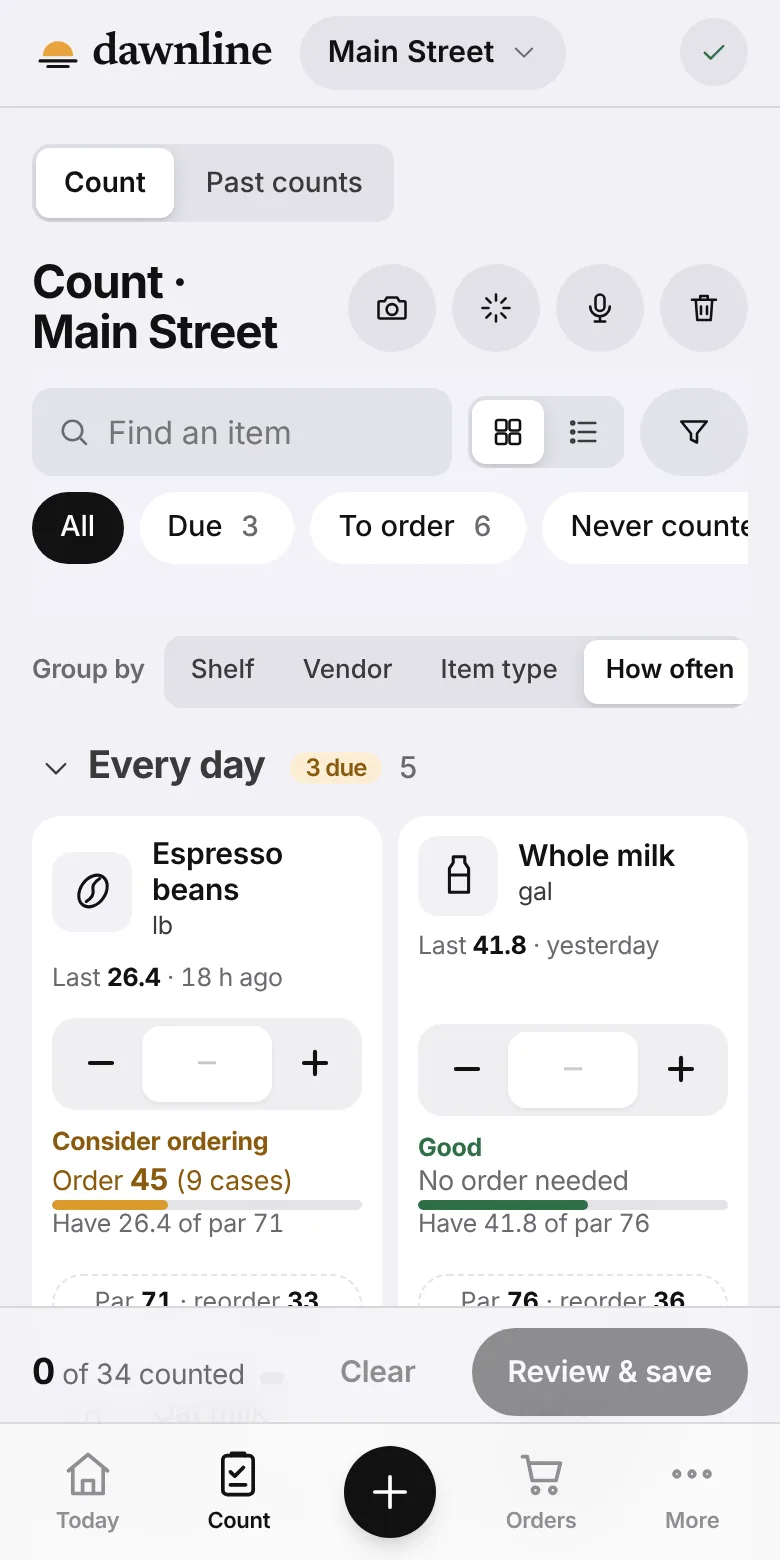
Group by shelf, vendor or how often you count. Scan barcodes, count by voice or snap a photo of the shelf.
The back-of-house app for coffee shops
Dawnline counts the shelves, writes the vendor orders, plans the morning bake and keeps the schedule, so the person running the shop can spend the day with guests instead of a clipboard.
No sign-up. The demo runs a sample café with made-up numbers.
Built behind the counter. Dawnline started as the app for Matari Coffee's two shops in Columbus, Ohio, and runs them every day.
A day with Dawnline
Every screen is a job someone in the shop already does. Dawnline puts it in order and does the math.
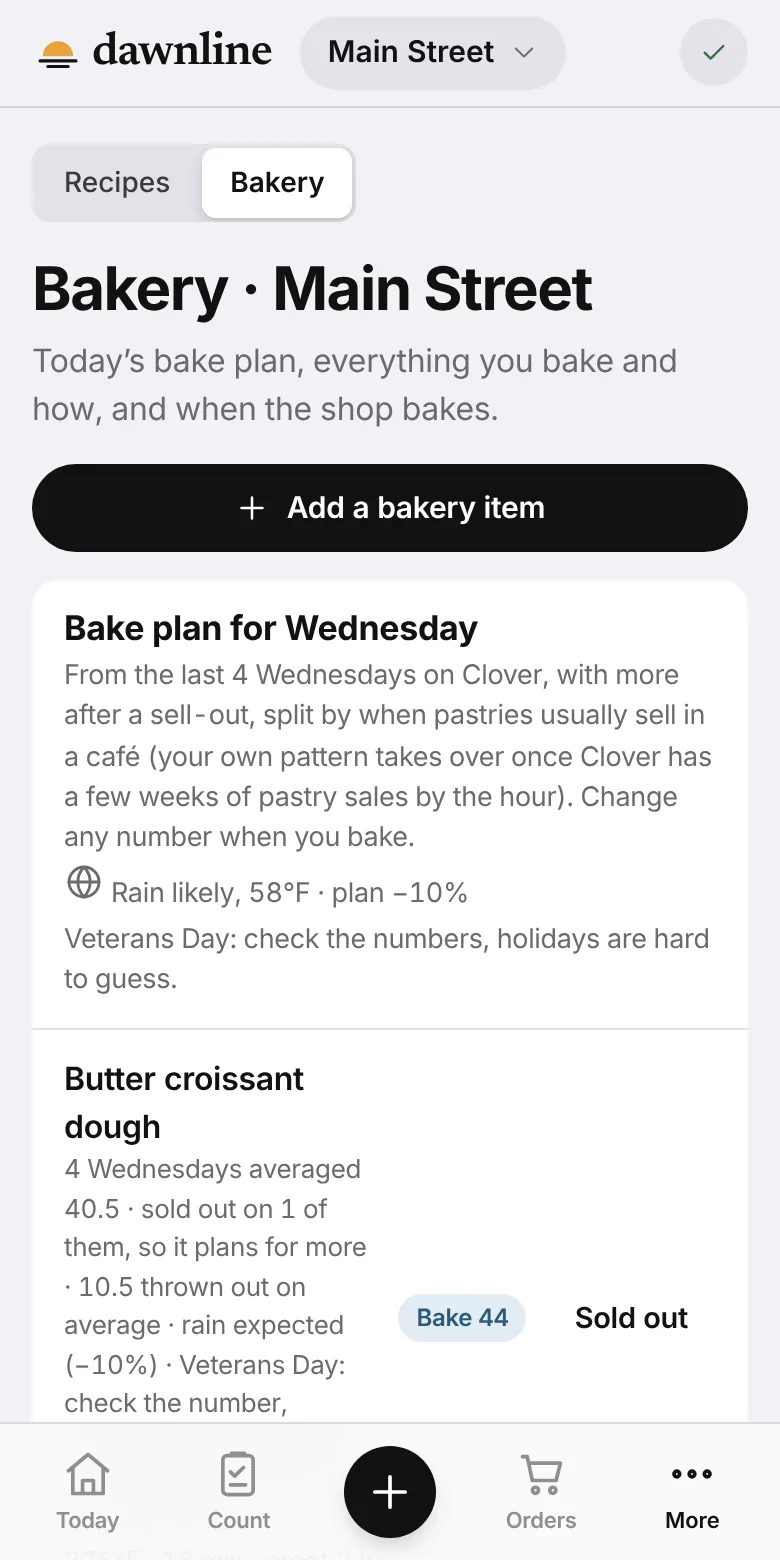
The opener sees how many croissants to pull and bake, round by round, from the last four same weekdays, the weather and holidays.
Fridge temps, the espresso machine, the case. Checked off on the store iPad with a PIN, no shared passwords.
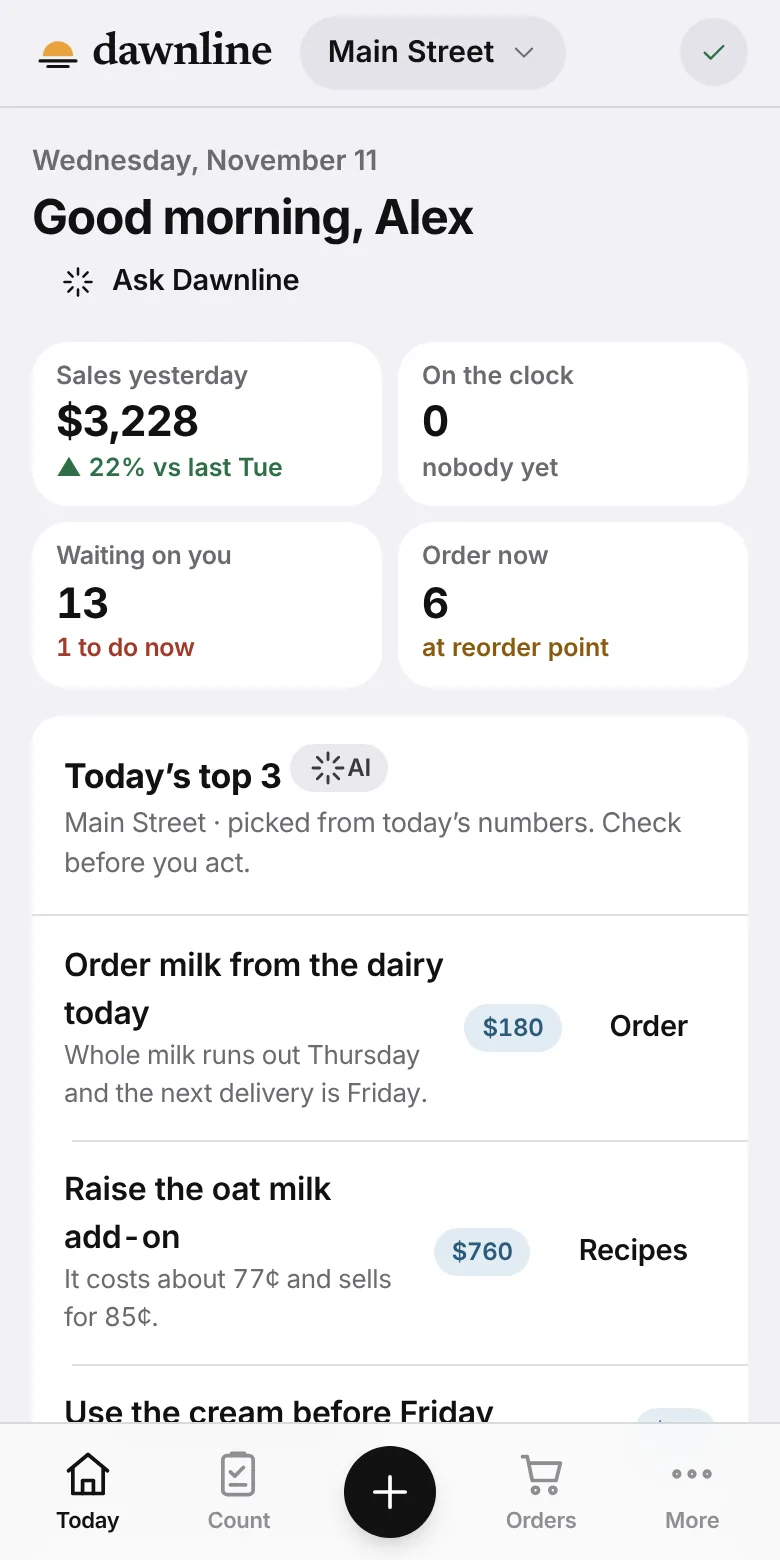
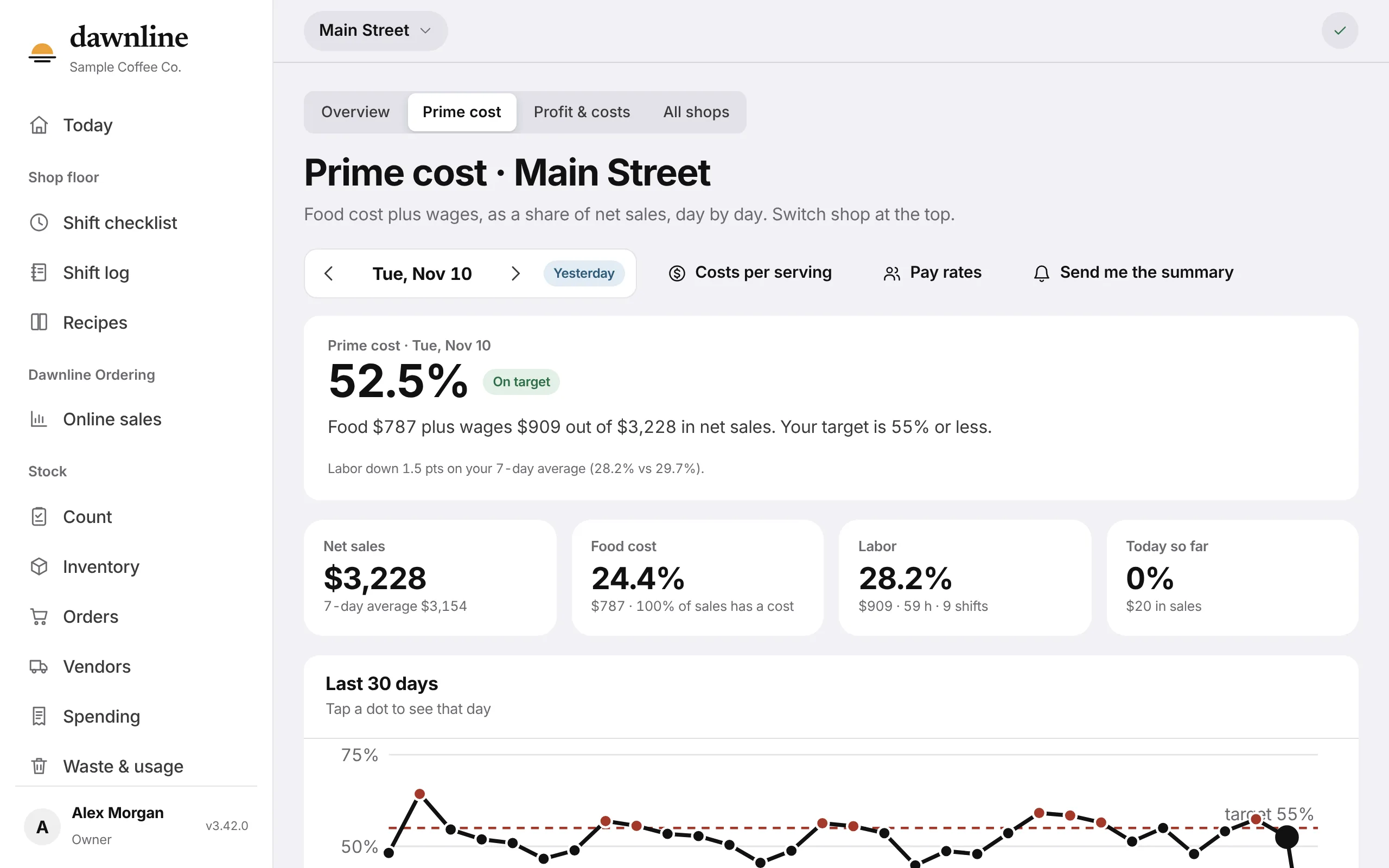
The owner's phone gets yesterday's sales, prime cost and the three things worth doing today.
Tap tiles with plus and minus, shelf by shelf. Items you are low on come up first, with the order amount already worked out.
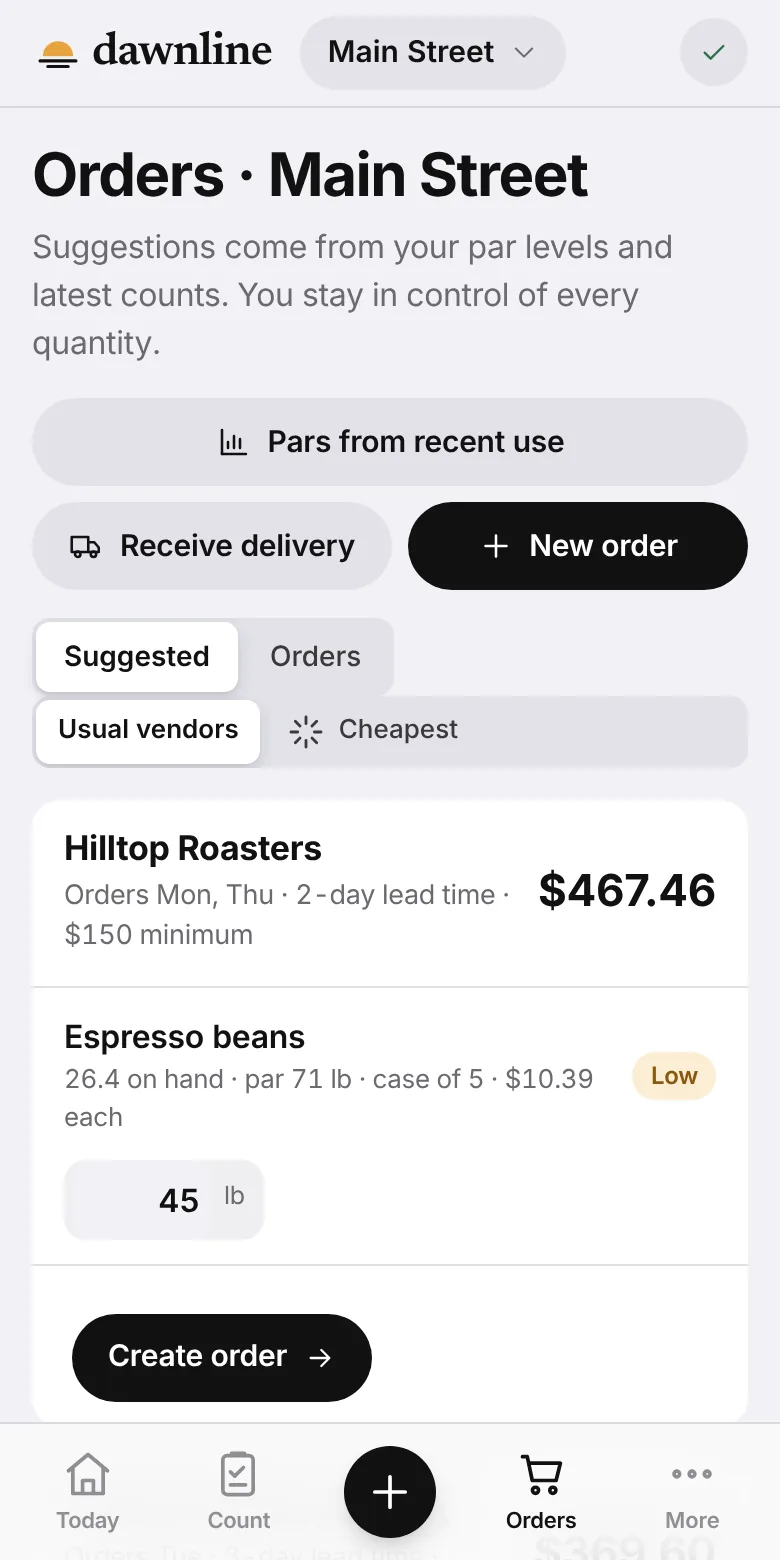
Orders are drafted from your pars and what sold. You confirm, and Dawnline emails or texts each vendor.
Waste logged, cash counted, a closing note for the opener. Sales come in from your point of sale overnight.
What it does
Group by shelf, vendor or how often you count. Scan barcodes, count by voice or snap a photo of the shelf.
Suggested orders from pars and usage, the cheapest vendor for each item, and reminders before a vendor's cutoff.
Built for frozen dough. It raises the plan after a sell-out, trims it after leftovers and rounds to your oven trays.
Cost per drink from your box prices, add-ons that take out what they replace, and a warning when a price rise eats your margin.
Build the week, publish it to phones, let staff swap shifts and clock in, and get hours ready for payroll.
Daily prime cost, food cost and labor against your targets, invoices and statements, and a scorecard for every shop.
Dawnline Ordering gives your café its own pickup ordering site with card payments, a kitchen screen and sales reports.
Ask Dawnline questions in plain words, get a morning briefing, check an order before it goes, and find out why a count is off.
Temp logs, use-by dates, equipment cleaning, repairs, incidents, cash counts and the shift handoff note.
Works with your point of sale
What sold, by the hour, comes in every night, so counts, orders, the bake plan and prime cost start from real sales.
Connected today
Connected for you during setup
Using something else? A manager can type in the day's sales in under a minute.
On the phone in your apron
Dawnline works on any iPhone, Android phone, iPad or computer. Nothing to install: add it to the home screen and it opens like an app.
For the owner
Dawnline joins what sold on your point of sale, what each drink costs to make and who was on the clock, and shows the result day by day against your target.
a month less waste and over-ordering in our test café selling $100,000 a month, from the bake plan and order reminders alone. (A computer simulation, not a promise.)
Pricing
Per shop, with the inventory app, online ordering, the AI helpers and a store iPad included.
Questions
No. Each shop gets a store iPad with the plan, set up for counts, checklists and the time clock with staff PINs. Everyone else uses the phones and computers they already have.
Yes. Clover is connected today and pulls sales, menu items and hours every night. Square, Toast, Lightspeed, Shopify POS, SpotOn, Revel, Heartland and TouchBistro are connected for you during setup. With any other system, a manager types in the day's sales in under a minute.
We load your items, vendors, pars and recipes from the spreadsheets or invoices you already have, set up your shops and staff, and walk your managers through the first count.
They're included in the $450 plan. Every AI answer says it's a suggestion, and nothing is ordered or changed until a person confirms it.
Yes. Each person sees what fits their role: baristas see counts, the checklist, recipes and their schedule; managers and owners see orders and money.
Open the demo. It's the real app running a sample café, with owner, manager and barista views. Nothing you do there is saved.
The demo is the real app with a sample café. Open it as the owner, a manager or a barista.